
A Boutiq Switch not hitting properly usually has one of three causes, and working through them in the right order saves time. A Boutiq Switch not hitting is almost never a dead device. In the large majority of cases it is one of four ordinary causes, and they are worth working through in order of likelihood rather than guessing. Most are fixed in under a minute and none require tools.
Boutiq Switch not hitting: start with the likeliest cause
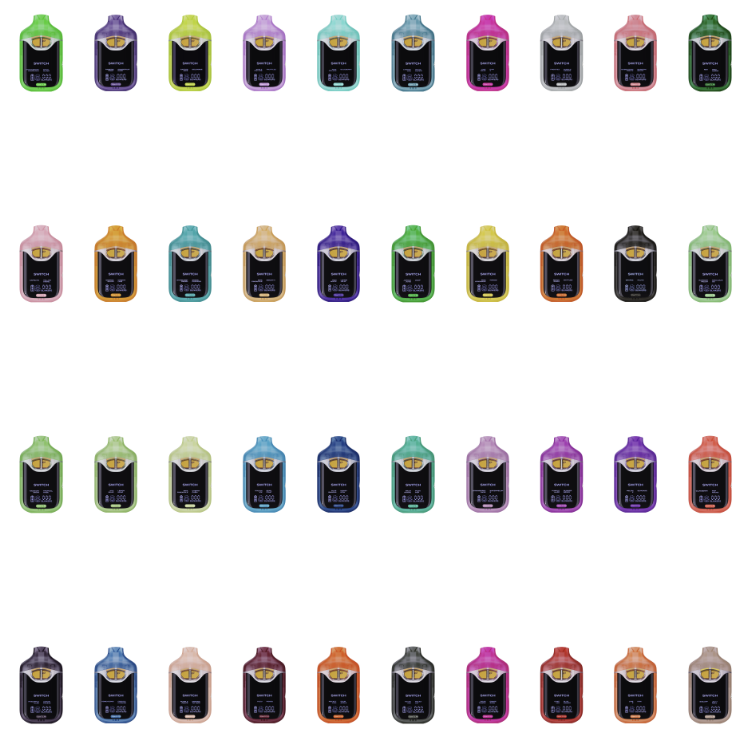
Drawing too hard is the single most common reason a device seems weak, and it is counterintuitive enough that almost nobody tries the fix first. These devices are designed around a fairly tight airflow and a gentle draw. Pulling hard floods the coil, cools it, and produces thin vapor from the same extract.
Try a deliberately soft two second draw. If that is noticeably better than what you were getting, the device was never faulty. This is the fix for a large share of the messages we receive about a Boutiq Switch not hitting, and it costs nothing to test.
The related habit is pacing. A coil that has not recovered between draws produces hotter, thinner vapor, so leaving a beat between pulls genuinely changes the output. If your first draw of a session is strong and the third is weak, that is coil recovery rather than a fault.
Check charge state before anything else physical
A partially depleted cell produces weaker vapor well before the device stops entirely, which people read as the device failing rather than needing a charge. Plug it in, give it a proper top-up, and retest. The charging guide covers the habit of charging when output dips rather than waiting for it to die.
If the device will not charge at all, that is a different problem with its own path: check the port for debris, swap the cable, then swap the adapter. What the indicator is doing while you try is informative, and the light pattern guide translates it.
A device that fires but produces nothing while showing a healthy charge has moved you past the battery entirely, which is useful diagnostic progress rather than bad news.
Airflow obstruction and how it happens
Extract migrating toward the mouthpiece is the usual physical cause, and it happens when a device is stored on its side or somewhere warm. The symptom is a tight, restricted draw and sometimes an oily first pull. The fix is to stand the device upright somewhere cool for a few hours and try again.
Debris in the mouthpiece is the other obstruction, particularly for devices carried loose in a bag or pocket. Look into it against a light. Anything visible can usually be cleared gently with a cotton bud, and nothing should ever be pushed down into the airway.
Prevention here is entirely about storage. Upright and indoors keeps each chamber settled over its own intake, which is also why the same advice appears in almost every guide we publish. It solves several different problems at once.
Cold devices and thick extract
Liquid Live Diamonds is a concentrate that thickens noticeably when cold, and a device that has been in a coat pocket outdoors will draw badly until it warms up. This is seasonal and it catches people out every winter, usually with a device that worked perfectly the day before.
Warm it in your hands for a few minutes rather than applying any heat source. Then take two short priming draws before expecting a full one. In most cold-weather cases that is the entire fix.
If you regularly use a device outdoors in cold conditions, expect to prime it each time. That is a property of the extract rather than a defect, and it affects thicker diamond products more than thinner live resin ones.
When it genuinely is the device
If the chamber is visibly empty, that is the answer, and the lifespan guide explains why devices often run out sooner than people expect when draw length has crept up. An empty chamber on a multi-chamber device is easy to miss because the other side still works.
If a device fails from new, stops working while clearly full, or behaves erratically on the indicator, stop troubleshooting and treat it as a fault. Our returns policy treats a device that fails early as our problem, and continuing to force a faulty unit rarely improves it.
Finally, consider authenticity. Counterfeits frequently draw loose and taste harsh because airflow is an afterthought on a copy, and a device that has never worked properly since you bought it may not be genuine. The checks are in our real against fake guide, and a Boutiq Switch not hitting from the very first draw is one of the more common ways people discover they were sold a fake.
A two minute diagnostic order that works
Run the checks in this sequence and you will resolve most cases without guessing. First, take a deliberately soft two second draw. Second, plug the device in for a proper top-up and retest. Third, stand it upright somewhere cool for a few hours if the draw felt tight.
Fourth, warm it in your hands if it has been anywhere cold. Fifth, look into the mouthpiece against a light for visible debris. Only after all five should you conclude the device itself has failed, and by that point you will have ruled out the causes that account for the overwhelming majority of reports.
Keep a note of which step fixed it. If the same step keeps fixing it, the underlying issue is a habit rather than a device: usually draw technique or storage, both of which are covered in the usage guide.
Symptoms that point somewhere specific
A thin, hot draw with adequate vapor volume usually means you are drawing too hard or too often, because both flood and then overheat the coil. A tight, restricted draw with little vapor usually means an airflow obstruction. Those two sound similar when described casually and have completely different fixes.
A burnt taste that arrives suddenly partway through a session is almost always pacing rather than a dead coil. Leave a full minute and try again before concluding anything. If the burnt note has gone, the coil simply had not recovered.
A device that produces vapor with almost no flavor, while everything else feels normal, is usually a storage problem rather than a hardware one: the aromatics have gone and the extract has not. That one is not fixable, only preventable.
Preventing the same problem coming back
Almost every recurring case traces to one of two habits. The first is drawing hard, usually inherited from a different kind of device. The second is storing the device on its side or somewhere warm, usually because it lives in a bag or a car.
Fixing both costs nothing. A gentle two second draw with a pause, and a habit of standing the device upright indoors between sessions, eliminates the large majority of the reports we see. Neither requires you to change anything about which product you buy.
If you have fixed the same symptom three times, stop treating it as a fault and treat it as a pattern. The device is telling you something about how it is being used or stored, and that is much easier to change than the hardware.
Troubleshooting questions
Why is my Boutiq Switch not hitting properly?
In most cases it is one of four things: drawing too hard, a partially depleted battery, extract migrating toward the mouthpiece after being stored on its side, or cold extract that has thickened. Work through them in that order, since the first accounts for the largest share.
I am drawing hard and getting almost nothing. What now?
Try the opposite. These devices are designed around a gentle draw, and pulling hard floods and cools the coil, producing thin vapor. A deliberately soft two second draw is noticeably better in a large share of cases and costs nothing to test.
The draw feels tight and restricted. How do I fix it?
That is usually extract that has migrated toward the mouthpiece because the device was stored on its side or somewhere warm. Stand it upright somewhere cool for a few hours and try again. Check the mouthpiece for visible debris while you wait.
It has never worked properly since I bought it. Is it faulty?
It may be faulty or it may not be genuine. Counterfeits frequently draw loose and taste harsh because airflow is an afterthought on a copy. Run the authenticity checks first, and if the device is genuine and failed from new, it is covered under the returns policy.
Working through it in order
Most devices that stop drawing fall into three cases, and checking them in order saves time. A burnt taste means a dry wick, which recovers after twenty minutes upright and one gentle draw with no preheat. Nothing at all usually means charge, so ten minutes on USB C settles it even if the light disagreed. Weak vapour in a cold room usually means the sauce is too thick, and two seconds of preheat fixes it.
What does not help is drawing harder. Every one of these three gets worse with force, and a wick that would have recovered can be finished off in a few determined pulls.
Not hitting: quick diagnosis
It tastes burnt but is not empty.
Dry wick. Stand it upright for twenty minutes, then one gentle draw with no preheat. Drawing harder is what turns this into a dead coil.
Nothing comes through at all.
Charge for ten minutes even if the light suggested it was fine. A cell run flat repeatedly can report incorrectly.
Vapour is weak in a cold room.
The sauce is too thick for a cold coil. Two seconds of preheat changes the result completely.
When the problem is the seller rather than the device

Troubleshooting guides assume the device is genuine and was stored properly before it reached you, and that assumption is wrong often enough to be worth naming. A device that underperforms from the very first draw, before you have had any chance to affect it, is telling you something about its history rather than about your technique.
Stock age is the quiet version of this. Oil does not improve sitting in a warehouse, and a device that has been through a hot summer in poor storage can arrive tasting flat and drawing thin while being entirely genuine. A seller with slow turnover will send you those without ever knowing.

The tell is consistency. If every device from one seller behaves the same disappointing way, the common factor is the seller. If one device from a normally reliable source is off, that is a genuine one off fault and worth a replacement claim.
So before working through hardware fixes for a third time, consider where it came from. The checks on the verification page settle the authenticity question quickly, and if the device is genuine but the seller was careless, the answer is a different seller rather than a different technique.
If a seller dismisses a device that failed from the first draw, that is a consumer rights question rather than a technical one. Goods have to match their description and be of satisfactory quality, and a device that never worked properly does not meet that bar regardless of what a returns page says about opened products. The Federal Trade Commission guidance on refunds sets out what you are entitled to ask for. Keep the order reference, photograph the device early, and raise it in the first days rather than after a fortnight of troubleshooting, because a delay is the one thing that genuinely weakens an otherwise straightforward claim. Being polite and specific gets better results than being angry and vague, but neither changes what you are owed.
The broader lesson is that troubleshooting assumes a fair starting point. When a device has been genuine, well stored and correctly used, the standard fixes work reliably. When one of those three is missing, no amount of technique compensates, and continuing to try simply delays the moment you address the actual cause. Checking where a device came from is troubleshooting, not an excuse for skipping it.
If a Boutiq Switch not hitting from the very first draw is the situation you are in, the cause is more likely the device history than your technique. A Boutiq Switch not hitting after weeks of normal use is a different problem and usually an airway one.